New Chrome Extension Brings Batch Editing to Google Photos
Our take
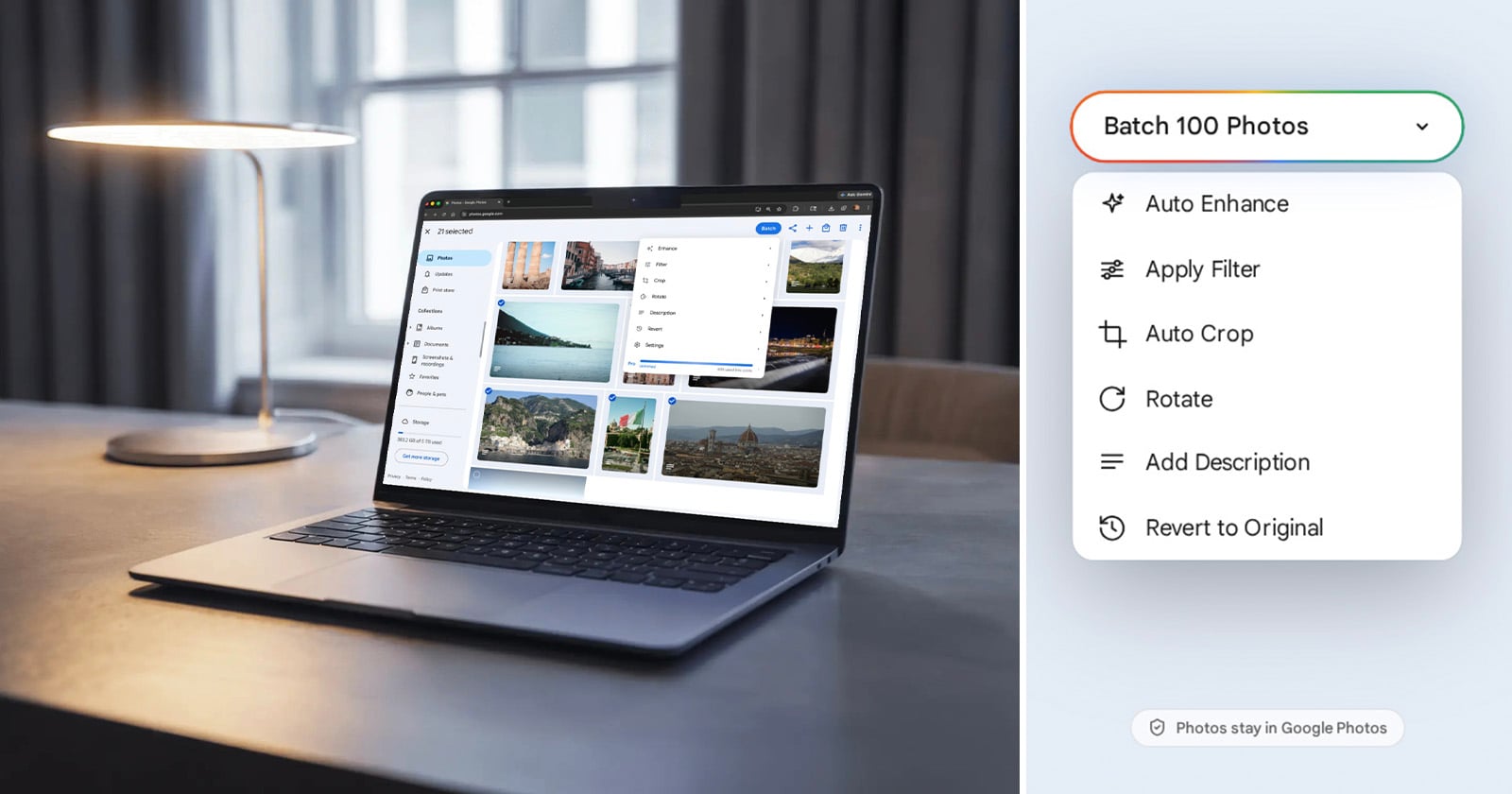
Google Photos has long been the quiet workhorse of the visual world, silently curating billions of moments for creators, travelers, and everyday storytellers. The recent launch of a Chrome extension that finally unlocks batch editing feels like the missing brushstroke on an already vibrant canvas. By allowing users to apply auto‑enhance, filters, crops or even add descriptions to dozens of images with a single click, the tool transcends the platform’s traditional “single‑photo” mindset and invites a more fluid, studio‑like workflow. This shift is especially resonant for our community of artistic collaborators, who often juggle portfolios, social feeds and client deliverables; the ability to edit en masse without sacrificing the nuanced, curated aesthetic they prize is a genuine elevation of the creative process. For context, see how other platforms are expanding their creative toolkits: 13 Award-Winning Photos From the UN World Oceans Day Contest showcases the power of compelling imagery, while Apple’s Photos App is Getting Three New AI‑Powered Editing Tools highlights the industry’s race to blend intelligence with artistry.
What makes this extension more than a convenience is its alignment with a broader cultural moment: the convergence of health‑focused mindfulness and visual expression. Our readers, who view fitness routines through a lens of style and authenticity, are accustomed to curated playlists, mood‑setting lighting and now, a curated visual narrative that can be edited in bulk. The batch editor’s “Auto Enhance” and “Apply Filter” options echo the same aesthetic decisions we make when selecting workout wear or designing a runway‑ready look—quick, confident choices that preserve individuality while adhering to a cohesive vibe. By embedding these capabilities directly into the cloud‑native environment of Google Photos, the extension eliminates the need for third‑party desktop software, keeping the creative flow within a single, immersive ecosystem.
From a technical standpoint, the extension leverages Google’s existing AI infrastructure, translating machine‑learning insights into real‑time adjustments across multiple files. This is a subtle yet powerful democratization of what was once a premium feature reserved for heavyweight editing suites. For health‑conscious creators who document their journeys—whether a sunrise yoga session or a nutrient‑rich meal plan—the ability to instantly harmonize color palettes, crop inconsistencies, and add descriptive metadata enhances both storytelling and discoverability. It also reinforces the platform’s role as a living archive, where each image can be re‑contextualized without the friction of manual repetition.
Looking ahead, the batch editing capability could spark a ripple effect across the broader digital lifestyle landscape. As more platforms adopt similar mass‑edit functionalities, we may see a rise in “visual batch workflows” that parallel the efficiency of fitness circuit training: a sequence of deliberate, high‑impact actions that together produce a polished, aspirational outcome. For creators who thrive on both spontaneity and refinement, the question becomes how far this integration will go—will future extensions incorporate batch caption generation powered by natural language models, or perhaps synchronize edits across linked Instagram and TikTok feeds? The promise of a truly immersive, curated visual experience is now within reach, and watching how artists, athletes and everyday enthusiasts harness this tool will be a vibrant chapter in the evolving story of digital expression.
Google Photos has become one of the most popular photo platforms in the world, serving more than 1.5 billion monthly users and providing everything from cloud backups to AI-powered editing tools. Yet despite its extensive feature set, one capability has remained notably absent for years: batch editing.
Read on the original site
Open the publisher's page for the full experience